
How to Trade HyperLiquid Futures with Origami Tech. Part 1

Introduction
This step-by-step manual will show you how to trade futures on HyperLiquid using Origami Tech. There are two main paths to get started:
- Quick Start with Presets — best if you want to launch fast with minimal setup.
- Advanced Setup with Custom Grids — for users who prefer full control and strategy design.
In this article, we’ll focus on the Quick Start method, covering the essentials: connecting your wallet, generating API keys, linking your account to Origami Tech, and launching your first trading bot.
Part 1. Quick Start with Presets (Beginner-Friendly)
Connect Your Wallet and Make a Deposit
- Go to hyperfoundation.org and click Start Trading.
- In the top-right corner, click Connect.
- Select your wallet from the list. If it’s not listed, choose WalletConnect.
Once your wallet is connected, make sure you have funds available in USDC for trading and some ETH on Arbitrum to cover transaction fees. You can top up your wallet through any supported bridge or exchange before continuing.
- Click Deposit, enter the amount (about 15 USDC is recommended), and confirm.
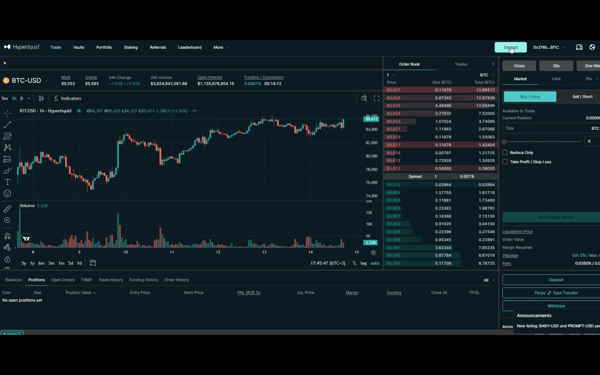
- Check the Balances tab — your deposit should now be visible.
Create an API Key in HyperLiquid
- From the top menu, go to More → API
- Add a label for your API key (e.g., Origami Tech)
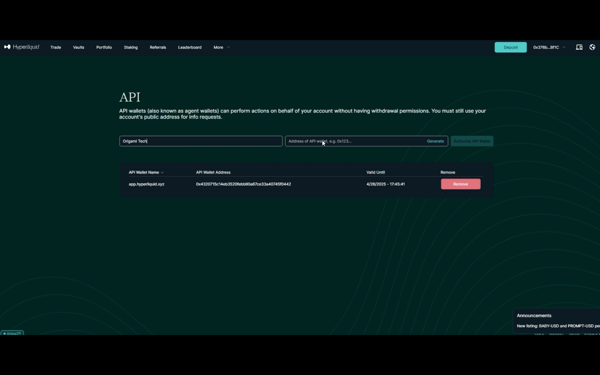
- Click Authorize API Wallet.
- Set the duration to Max (180 days).
- Copy the red address — this is your Private Key. Store it securely.
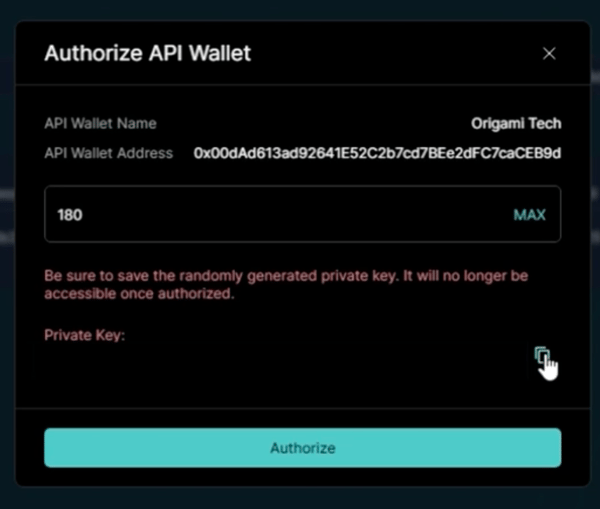
- Click Authorize to finish.
Connect Your Account in Origami Tech
- Register on Origami Tech
Sign up on the Origami Tech platform and log in to your account. - Create a Project
After logging in, create a new project. This is a unique workspace where you can manage exchange accounts and strategies together. - Open your project in Origami Tech Go to Manage Profile
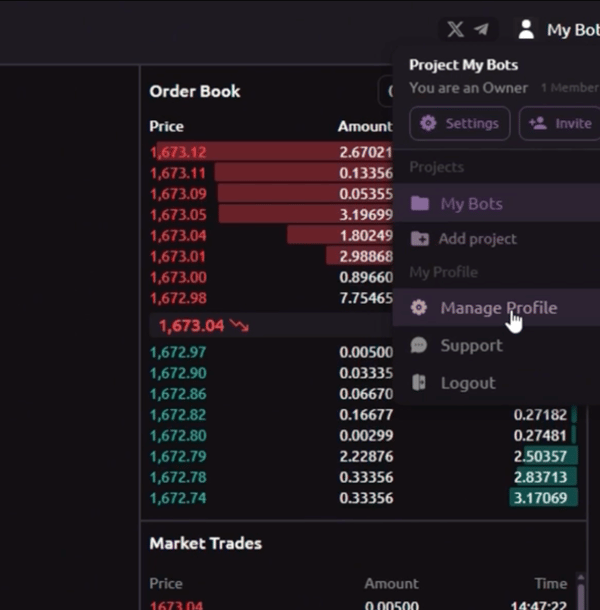
4. Click Accounts → Add Account.
5. Fill out the form:
- Account Name: any name (e.g., HyperLiquid Futures).
- Exchange: choose HyperLiquid Futures.
- Private Key: paste the red address you saved.
- Master Wallet: the wallet address you used for your deposit.
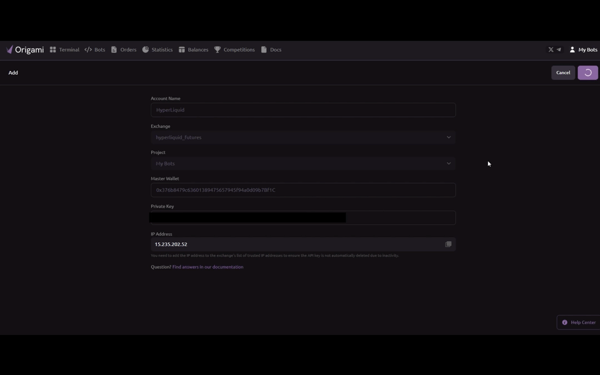
- Click Add Account.
(Optional: if you want to trade Spot as well, use the same API key and create a separate account under HyperLiquid Spot.)
Create and Configure a Trading Bot
- From the top menu, go to Bots → Add Bot.
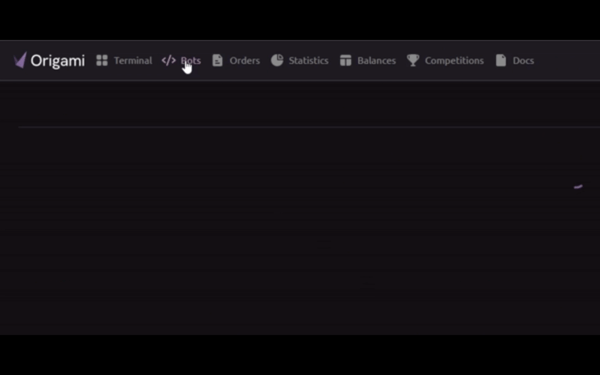
- Select the Futures tab.
- Enter the details:
- Bot Name: choose any name.
- Account: select the account you just created.
- Coin: e.g., BTC-USD.
- Leverage: set your preferred level (e.g., 20x)
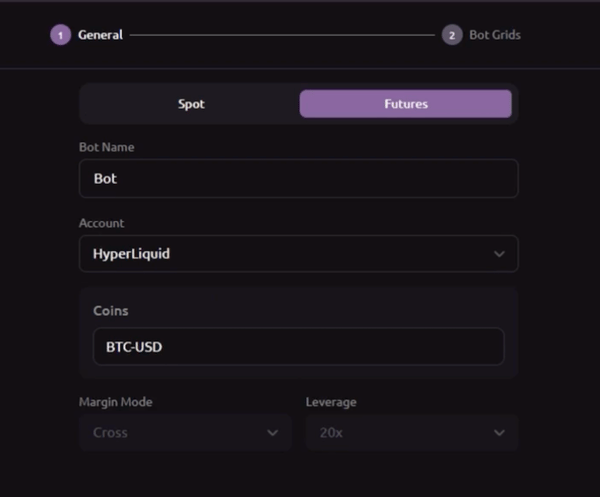
- Click Next.
Import a Strategy
- Click Import Preset.
- Switch to the Bot tab to see available strategies.
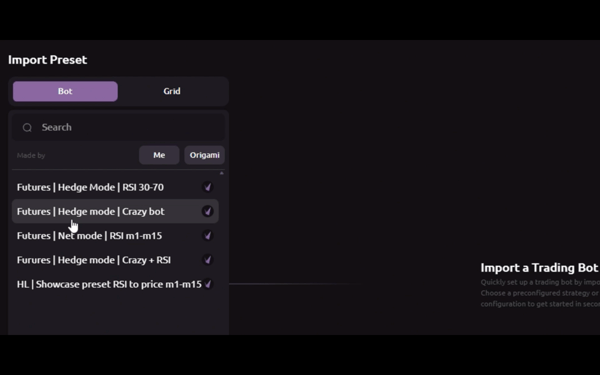
IMPORTANT!
When setting up a bot for HyperLiquid, avoid using strategies that place and replace orders too frequently, as this can quickly hit the exchange’s API rate limits. For example, HL | Showcase preset RSI to price m1–m15 should work without errors, but since this preset updates orders constantly, it’s not the best fit for HyperLiquid.
3. Select the strategy labeled Futures | Net mode | RSI m1–m15
- It only opens positions when conditions are met.
- One key condition: RSI must be below 30 or above 70. This means the Research button might not show trades immediately. That’s normal.
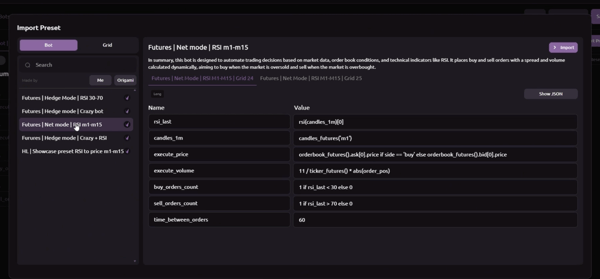
- Click Import → Save and Exit.
Launch and Manage Your Bot
- In the bot list, click the Power icon to activate your bot.
- To stop it, click the same icon again.
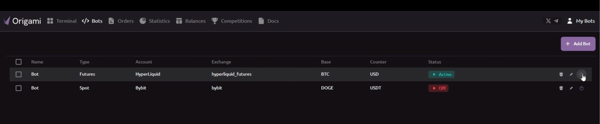
Your bot is now live on HyperLiquid Futures with Origami. You have connected your wallet, added the API key, linked your account and launched the strategy.
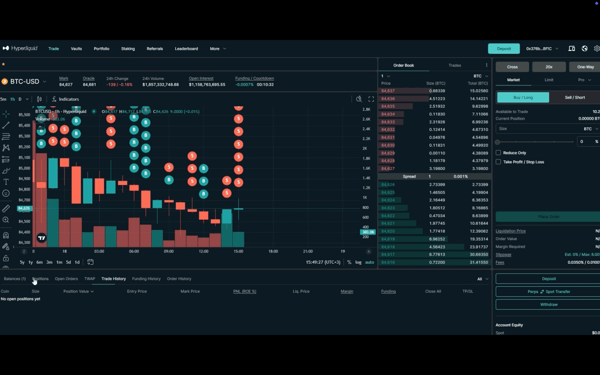
If you ever want to stop your bot, simply click the Power icon again and all activity will pause. You can always adjust your bot settings to reflect current market conditions, and Origami Tech makes it easy to test and adapt on the fly.
You can choose between grids that adapt in real time or lighter setups that wait for the right opportunity. Either way, you remain in control, with the flexibility to design a strategy that matches your trading style. This is exactly where Origami Tech stands out.
If you want more control, you can configure your own trading logic using Origami Tech’s grid system. The Part 2 of this guide will move on to the advanced setup and show you how to build and manage custom grids for a more sophisticated trading approach.
You may also like







Trade Smarter with Origami Tech
Take your crypto trading to the next level with our powerful automated trading terminal. Maximize profits, minimize risks, and stay ahead of the market 24/7.