
Common Beginner Questions About Trading Bots on Origami Tech (Part I)
Introduction
When users launch their first trading bot on Origami Tech, a familiar situation may occur. The bot is set up, the strategy is selected, everything looks correct in the interface, yet no trades appear. This can raise a natural question of whether something is broken or simply not working as expected.
In most cases, the bot is behaving exactly as designed. Automated strategies do not trade continuously by default. They follow predefined logic, market conditions, available balances, and exchange rules. Understanding this behavior is the first step toward using trading automation with confidence.
This article addresses the most common beginner questions and explains how to interpret bot behavior without jumping to conclusions.
Why is my bot not placing orders?
The absence of orders is not automatically a sign of an error. A trading bot can only place orders when several layers of conditions are satisfied at the same time.
— API key is disconnected or misconfigured
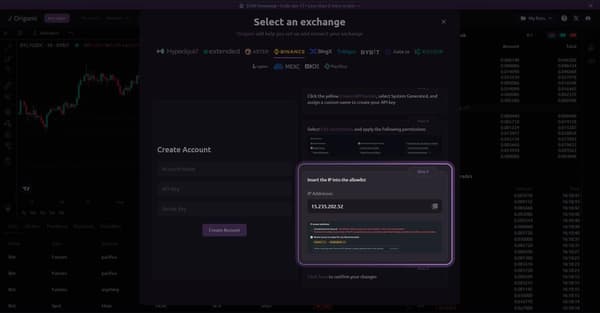
One of the most common and overlooked reasons is API configuration. Even a perfectly designed strategy cannot trade if the API key is disconnected or misconfigured. If the exchange does not accept requests due to missing permissions or an incorrect IP whitelist, the bot will appear active inside Origami Tech but will never reach the market.
Tips:
Make sure your API key is connected to Origami Tech and has the required trading permissions enabled.
Double-check the whitelisted IP address. If the IP is missing or incorrect, your bot will not be able to connect to the exchange.
— Insufficient balance for the selected asset
Another frequent reason is insufficient usable balance. Bots calculate order sizes based on the available balance for the selected account type and market.
If your bot is configured for futures trading, but the funds are held on a spot account, or if most of your margin is already reserved by an open position, the strategy cannot generate valid orders.
Tips:
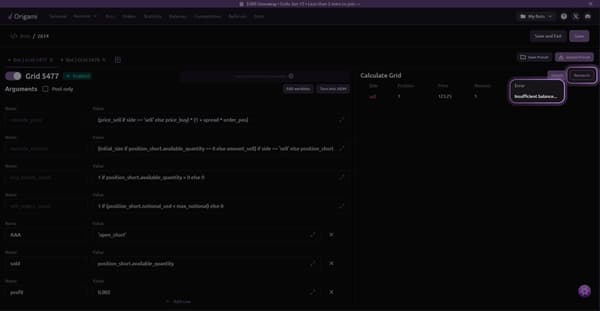
Origami Tech provides a quick way to detect this before launch. Click the Research button before saving your preset.
If it shows an insufficient balance error, top up the required base or margin asset before proceeding.
— Market conditions do not match your strategy logic
Many strategies are condition driven by design. This means the bot waits until specific market conditions are met.
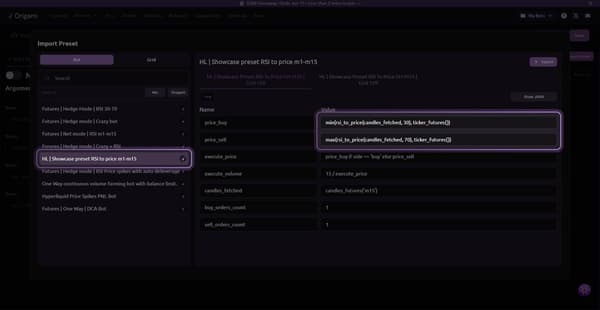
For example, an RSI based strategy may require the RSI value to be above 70 or below 30. If neither condition is met, no orders will be placed. This behavior is intentional and protects the strategy from trading randomly.
Tips:
Review the strategy logic and indicator thresholds.
If current market conditions do not meet those conditions, inactivity is expected.
— The bot is paused or stopped
Sometimes the issue is purely operational. A bot that is paused, stopped, or pending will never place orders, regardless of how well the strategy is configured.
This often happens after editing a preset or importing a strategy, where the bot remains inactive until manually enabled.
Tips:
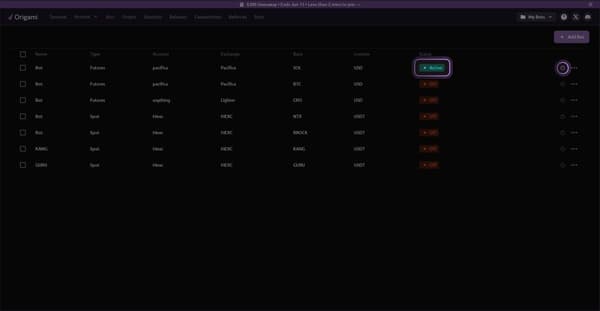
Make sure your bot status is set to Active, not Off or Pending.
You can toggle the bot on or off using the power icon in the bots list.
— Exchange minimum order size is not met
Most exchanges enforce minimum order size or notional requirements. If the calculated order size falls below this limit, the exchange will reject the order.
This is a common issue when trading with small balances or very conservative order sizes.
Tips:
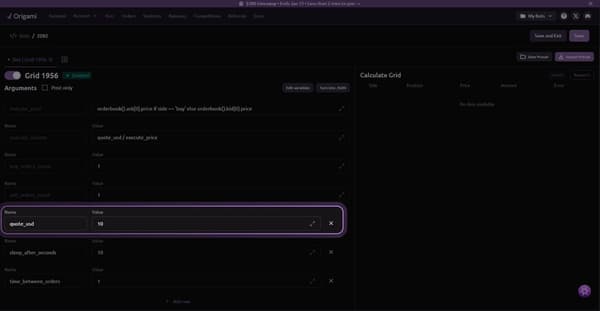
Check the minimum order requirements of the selected exchange.
Adjust your order amount to be within or above the minimum limit.
— Execute volume is incorrectly calculated
In many presets, especially grid or volume based strategies, the execute volume must be calculated correctly.
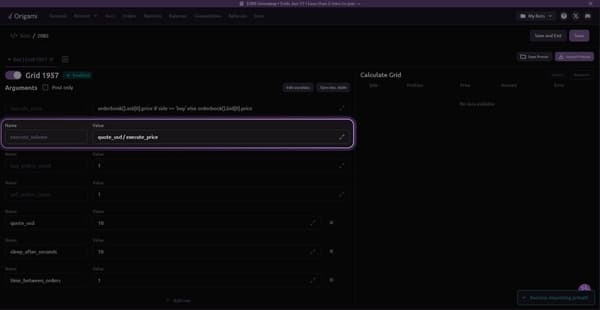
A common mistake is using an incorrect unit. In most cases, execute volume should represent the amount to buy in USD divided by the execution price. If this relationship is incorrect, the resulting order size may be invalid or too small.
Tips:
Make sure your execute volume is calculated as quote amount divided by execute price.
Double-check variables such as quote_usd and execute_price in your preset.
Checklist: What Should I Check Before Launching a Bot?
A short checklist before clicking Launch can prevent most beginner issues.
- Balance location
Confirm funds are on the correct exchange account type such as spot or perp. - Trading pair and venue
Verify that the selected pair exists and has liquidity on the chosen exchange. - Order size vs exchange limits
Ensure your minimum order value comfortably exceeds exchange requirements. - Risk parameters
Check max gap, quote size, leverage, and execution amount to ensure they match your balance. - Strategic intent
Decide whether the goal is capital preservation, steady trading, or volume generation. Parameters should match this goal.
Running this checklist usually resolves issues before they appear.
How to understand whether your strategy is working correctly is covered in the second part of the article.
You may also like








Trade Smarter with Origami Tech
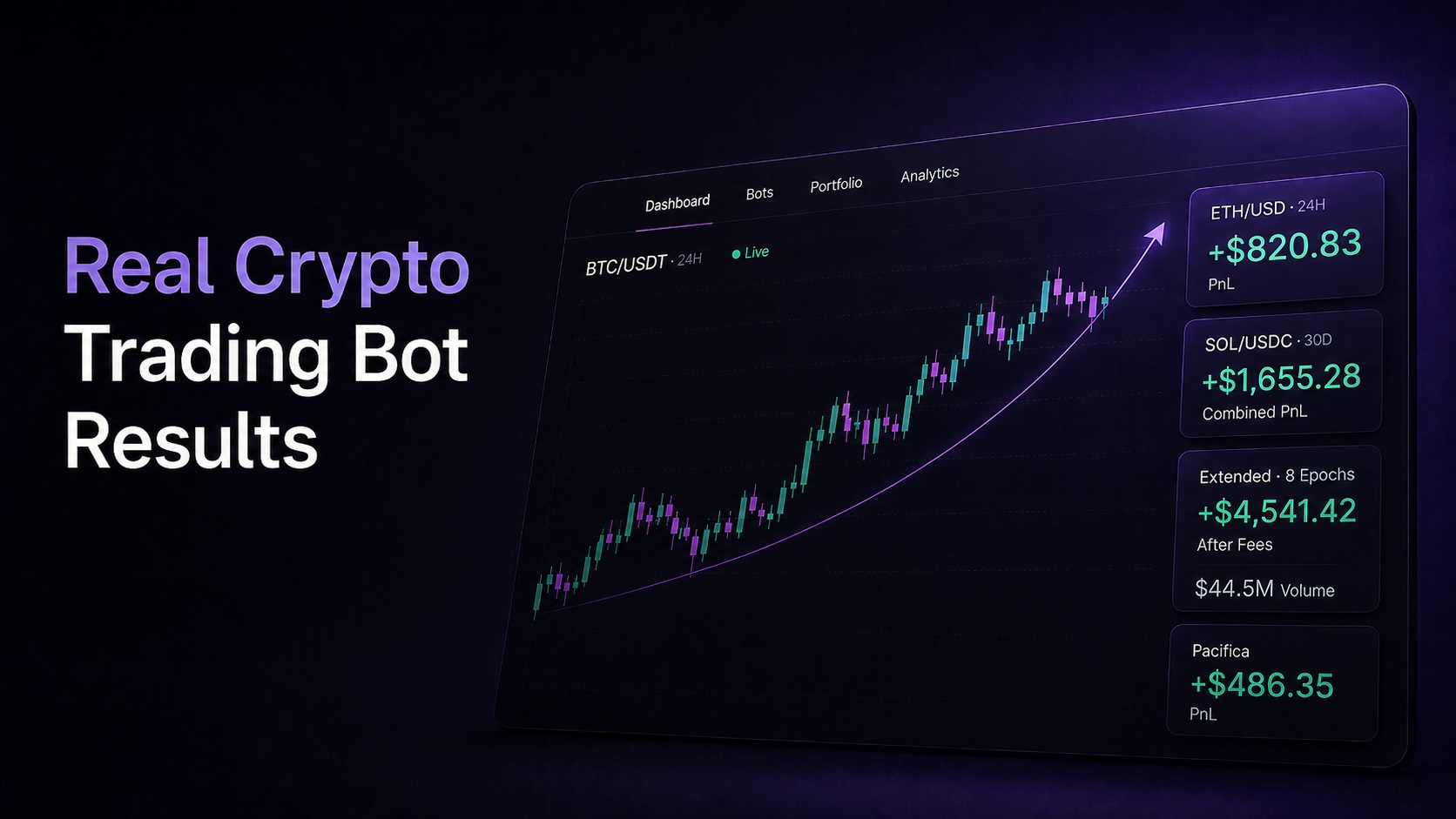
Take your crypto trading to the next level with our powerful automated trading terminal. Maximize profits, minimize risks, and stay ahead of the market 24/7.