
Common Beginner Questions About Trading Bots on Origami Tech (Part II)
Introduction
This article continues our previous guide on common beginner questions about trading bots on Origami Tech. In the first part, we looked at why a bot might not place any orders.
Here, we focus on how to understand whether your strategy is working correctly. These simple checks can help you feel more confident about your setup and avoid changing things that are already working as intended.
How can I tell if a strategy is working correctly?
A healthy strategy may take some time before placing its first trades. During this period, there are several early indicators that can help confirm whether the setup is configured correctly.
— Does the strategy pass Research or calculation checks?
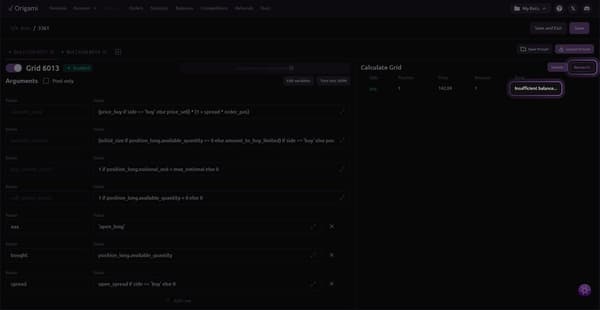
The Research or Calculate function is the fastest way to verify that a strategy is operational. If Research completes without errors, it means the strategy can compute prices and order sizes correctly, required data is available, and the logic is internally consistent. This confirms that the bot is technically ready to trade.
If Research fails, the issue is configuration related rather than market related and should be resolved before launch.
— Are there order rejections from the exchange?
Rejected orders usually come with clear reasons such as insufficient margin or minimum size violations. These signals point directly to configuration issues that need adjustment.
If there are no rejection messages and no errors, the strategy is most likely waiting for suitable market conditions.
— Do orders appear when conditions are met?
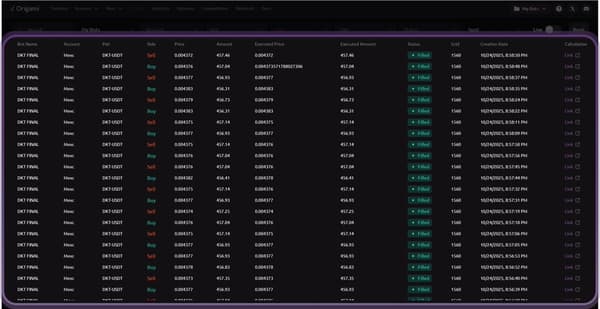
A healthy strategy reacts consistently when market conditions align with its logic.
Once price enters the configured range or indicators trigger, orders should begin to appear naturally. This behavior confirms that the strategy logic is functioning as intended.
— Is position sizing stable and predictable?
Position behavior provides another important signal. Positions should grow and shrink gradually according to logic, not jump unpredictably. Sudden large exposure often indicates overly aggressive parameters rather than a technical issue.
Beginner Checklist: Which parameters matter most at the start?
Use this checklist to validate your setup.
- Execution amount
Check how much capital is used per single order.
This parameter directly affects whether orders can be placed at all. If the execution amount is too small, the exchange may reject orders due to minimum size requirements. If it is too large, the strategy may take on excessive risk from the very first trade.
For beginners, smaller and consistent execution amounts are usually easier to observe and control.
- Quote size for grid or market making strategies
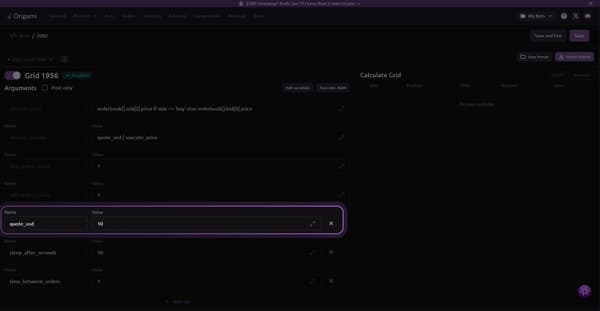
- Confirm that your quote size is neither too small nor too aggressive.
- Quote size determines how visible your orders are and how frequently they interact with the market. Very small values often result in rejected orders or no execution. Very large values increase exposure and can amplify drawdowns.
- Moderate quote sizes provide a balance between activity and risk and are generally easier to manage during early testing.
- Max gap or spread settings
- Review how far orders are placed from the current market price.
- If the gap or spread is too tight, the bot may remain inactive because conditions are rarely met. If it is too wide, orders may be placed far from price, increasing exposure when the market moves.
- For beginners, a balanced gap allows orders to appear naturally without forcing excessive risk.
- Leverage and margin mode
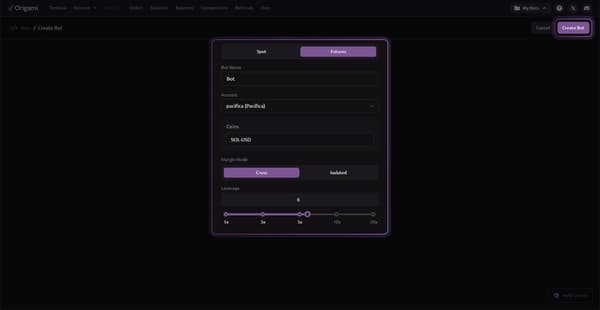
- Verify that leverage and margin mode are set conservatively.
- High leverage magnifies both gains and losses and can make strategy behavior harder to interpret. During early stages, lower leverage helps users observe how logic reacts to price movements without extreme swings.
- Using conservative leverage makes it easier to understand strategy dynamics before scaling up.
- Preset selection
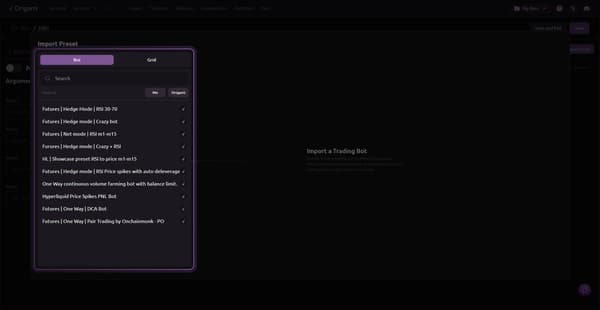
- Confirm that you are using a proven preset.
- Starting with established presets such as Futures One Way DCA Bot allows users to learn how Origami Tech strategies behave in real market conditions. Presets provide a stable baseline and reduce the likelihood of configuration errors.
- Custom logic is best introduced gradually, after the core mechanics are clearly understood.
- Final thoughts
- If you have checked your API connection, balances, strategy logic, and key parameters, and the bot still behaves in an unexpected way, the best next step is to contact support.
- Open a ticket in the Origami Tech Discord and share your bot ID, exchange, and a brief description of the issue. This allows the team to quickly review your setup and point out what needs to be adjusted.
- Alternatively, you can ask your question directly iin the bot-discussion channel.
- In most cases, issues come down to configuration details or market conditions, and they can be resolved with a small change once identified.
You may also like










Trade Smarter with Origami Tech
Take your crypto trading to the next level with our powerful automated trading terminal. Maximize profits, minimize risks, and stay ahead of the market 24/7.